MxCAD Multi-line Text Extension
Preface
In the latest version of the mxcad plugin, we provide a custom editor entity class named MxCADMText for rendering and managing rich text editors in CAD. Based on this class, we can transfer and implement the powerful functions of the rich text editor into our MxCAD project. At present, our online demo has been updated with relevant functions of the multi-line text editor. Users can click the link below to try out the new MxCAD functions online, or download the latest version of the cloud map development kit from the link below to test and use it locally.
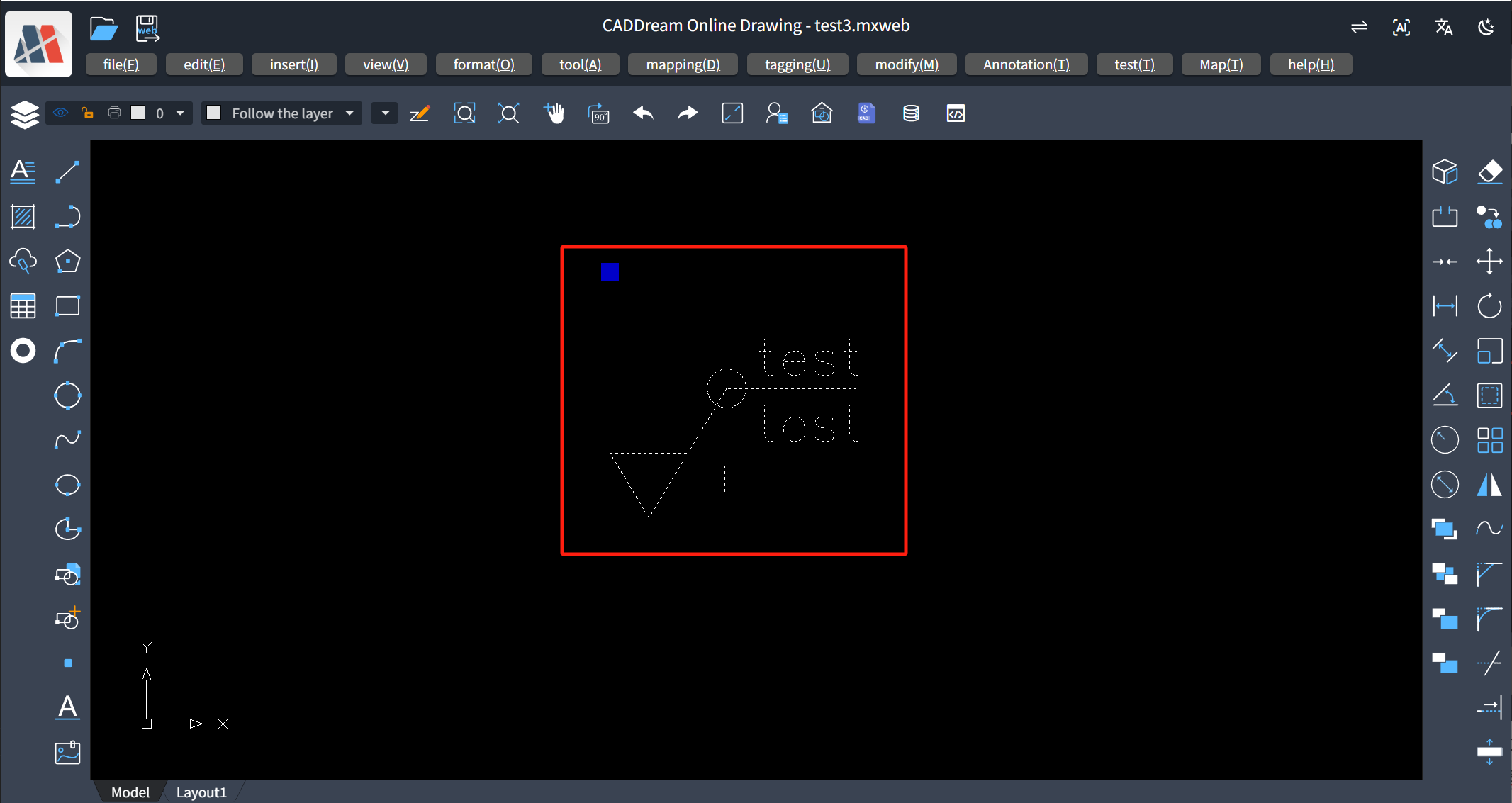
Based on the original rich text editor functions, we have combined text with CAD functions to realize the extension of multi-line text. Users can insert entities into our multi-line text in the form of text content according to the needs of their projects. Next, we will detail how to insert custom text entities into the multi-line text editing function of the MxCAD project.
MxCAD project online link: https://www.webcadsdk.com/mxcad/
Cloud map development kit download link: https://www.mxdraw.com/ndetail_50264.html
Rich text editing function example:
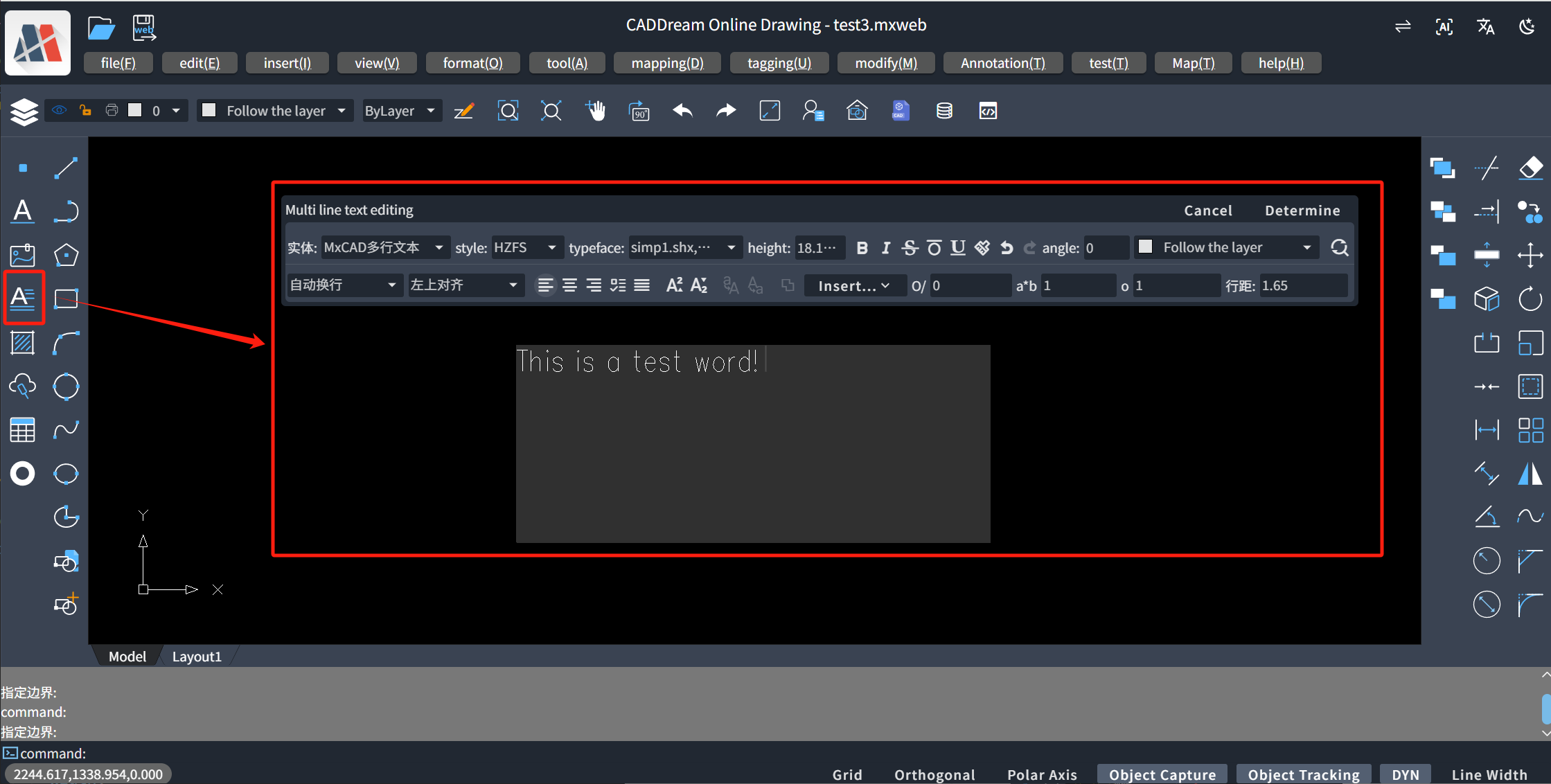
Register Concentric Circle Entity Text
Next, we will take inserting a concentric circle entity text into the multi-line text editor as an example to introduce the basic extension steps.
Implement Custom Text Class
All custom text entities registered in the MxCADMText class need to inherit the MxCADBaseCustomText custom text base class, otherwise the multi-line text entity cannot recognize your custom text.
ts/** * Concentric circle custom text class * Used to insert concentric circles in MxCAD multi-line text */ class MxCADConcentricCircles extends MxCADBaseCustomText { // Unique identifier for the type of custom text type = "MxCADConcentricCircles"; /** * Calculate the size of concentric circles * @param entity MxCAD multi-line text entity * @param textNode Text node * @returns Calculation data, including width and height */ calculate(entity: MxCADMText, textNode: MarksStyleText): MxCADCustomTextCalculateData { // Get outer circle radius const outerRadius = this.getOuterRadius(entity, textNode); // Calculate the space occupied by concentric circles const width = outerRadius * 2; const height = outerRadius * 2; return { width, height }; } /** * Create concentric circle entities * @param entity MxCAD multi-line text entity * @param textNode Text node * @param calculateData Calculation data * @param renderData Rendering data * @returns Array of created entities */ create( entity: MxCADMText, textNode: MarksStyleText, calculateData: MxCADCustomTextCalculateData, renderData: CreateData ): (McDbEntity | McDbCustomEntity)[] { // Get outer circle radius const outerRadius = this.getOuterRadius(entity, textNode); // Calculate middle circle radius const middleRadius = outerRadius * 0.7; // Calculate inner circle radius const innerRadius = outerRadius * 0.4; // Create concentric circle entities const circles: McDbEntity[] = []; // Calculate center position // renderData.position is the top-left position const leftTopPosition = renderData.position.clone(); // Offset the center position by a radius distance from the top-left corner to align the top-left corner of the concentric circles with renderData.position // Center coordinates = top-left coordinates + circle radius const centerX = leftTopPosition.x + outerRadius; const centerY = leftTopPosition.y - outerRadius; // Create final center coordinates const centerPosition = new McGePoint3d(centerX, centerY, leftTopPosition.z); // Create outer circle const outerCircle = new McDbCircle(); outerCircle.radius = outerRadius; outerCircle.center = centerPosition; circles.push(outerCircle); // Create middle circle const middleCircle = new McDbCircle(); middleCircle.radius = middleRadius; middleCircle.center = centerPosition; circles.push(middleCircle); // Create inner circle const innerCircle = new McDbCircle(); innerCircle.radius = innerRadius; innerCircle.center = centerPosition; circles.push(innerCircle); return circles; } /** * Get outer circle radius * @param entity MxCAD multi-line text entity * @param textNode Text node * @returns Outer circle radius */ private getOuterRadius(entity: MxCADMText, textNode: MarksStyleText): number { // Dynamically calculate the circle radius based on the text font size const fontSize = textNode?.fontSize || 1; // Adjust radius calculation to make the circle size appropriate return fontSize * entity.textBaseHeight / 2.5; } constructor() { super(); } }- The
create()method is used to create actual graphic entities. - The
calculate()method is used to calculate the space occupied by custom text in multi-line text. - The
typeattribute is used to define the type identifier of custom text, which will be used as a unique identifier in the MxCADMText class.
- The
Register Custom Text
In the MxPluginContext context object in the MxCAD project, we have exposed the
registerEditorCustomTextPlugin()registration method. Putting the above-written class into this method allows inserting concentric circle entities into custom text.ts/** * Register concentric circle custom text plugin */ const insertConcentricCircles = MxPluginContext.registerEditorCustomTextPlugin( new MxCADConcentricCircles(), { // Callback function when double-clicking the graphic onDbClick: (node) => { console.log("Double-clicked concentric circles:", node); }, // UI data uiData: { // Icon icon: "yuan", // Text text: "Concentric Circles", // Tip text tip: "Insert Concentric Circles", // Click event onClick: () => { // Insert concentric circles insertConcentricCircles({ // Custom parameters can be passed here }); } } } );The props parameter in the
insertConcentricCircles(props: any, isUpdate?: boolean)method is an external parameter object, which can be used to set parameter drawing of entities. After setting, it can be obtained throughtextNode.propsin thecalculate()orcreate()methods inside theMxCADConcentricCirclesclass; the isUpdate parameter is used to notify the multi-line text to modify node content after an entity object has been inserted and is in text editing state, and the entity is modified by single or double-clicking.ts// Insert concentric circles and pass in custom parameters insertConcentricCircles({ // For example, different radius ratios can be passed in radiusRatio: { outer: 1, middle: 0.7, inner: 0.4 } }); /** *Update onDbClick: (node) => { // ... Process node data and update params insertConcentricCircles(params, true); } */ts// Use these parameters in the create method: create(entity, textNode, calculateData, renderData) { // Get custom parameters const radiusRatio = renderData.props?.radiusRatio || { outer: 1, middle: 0.7, inner: 0.4 }; const outerRadius = this.getOuterRadius(entity, textNode); const middleRadius = outerRadius * radiusRatio.middle; const innerRadius = outerRadius * radiusRatio.inner; // Other code... }onDbClick: Callback function when double-clicking text. This callback function has a node callback parameter, which contains the data of the text node, i.e., thetextNodeinside theMxCADConcentricCirclesclass. This function can be used to implement interactive custom text, such as displaying a dialog box to modify parameters when double-clicking.tsMxPluginContext.registerEditorCustomTextPlugin( new MxCADConcentricCircles(), { onDbClick: (node) => { // Display a dialog box to modify parameters showDialog(node, (newParams) => { // Update custom text updateCustomText(node, newParams); }); }, // Other configurations... } );uiData: Set the UI configuration of the inserted entity in the editor, where the icon value can be set as an iconfont font icon.
Execute Registration Event at Project Initialization
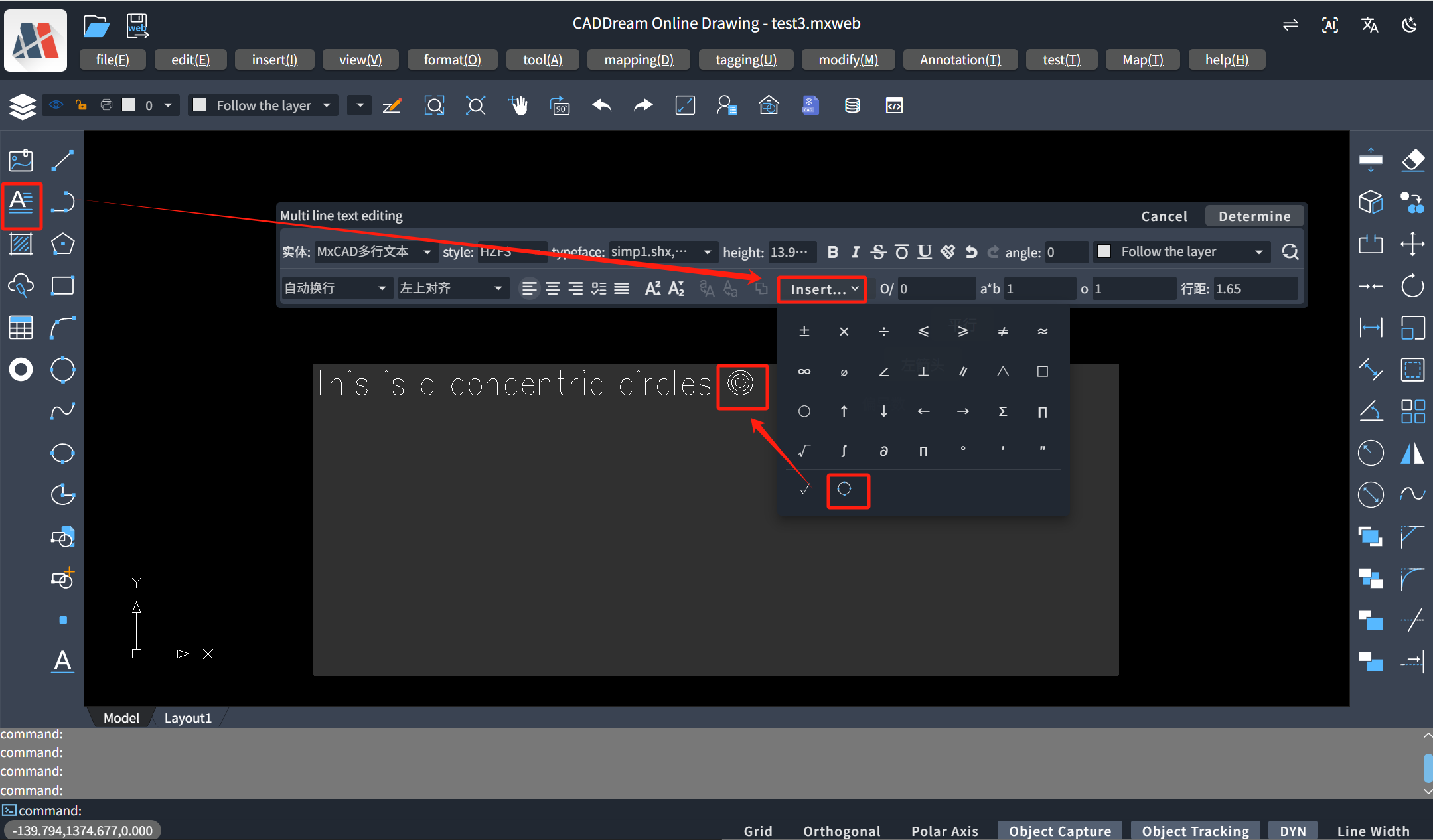
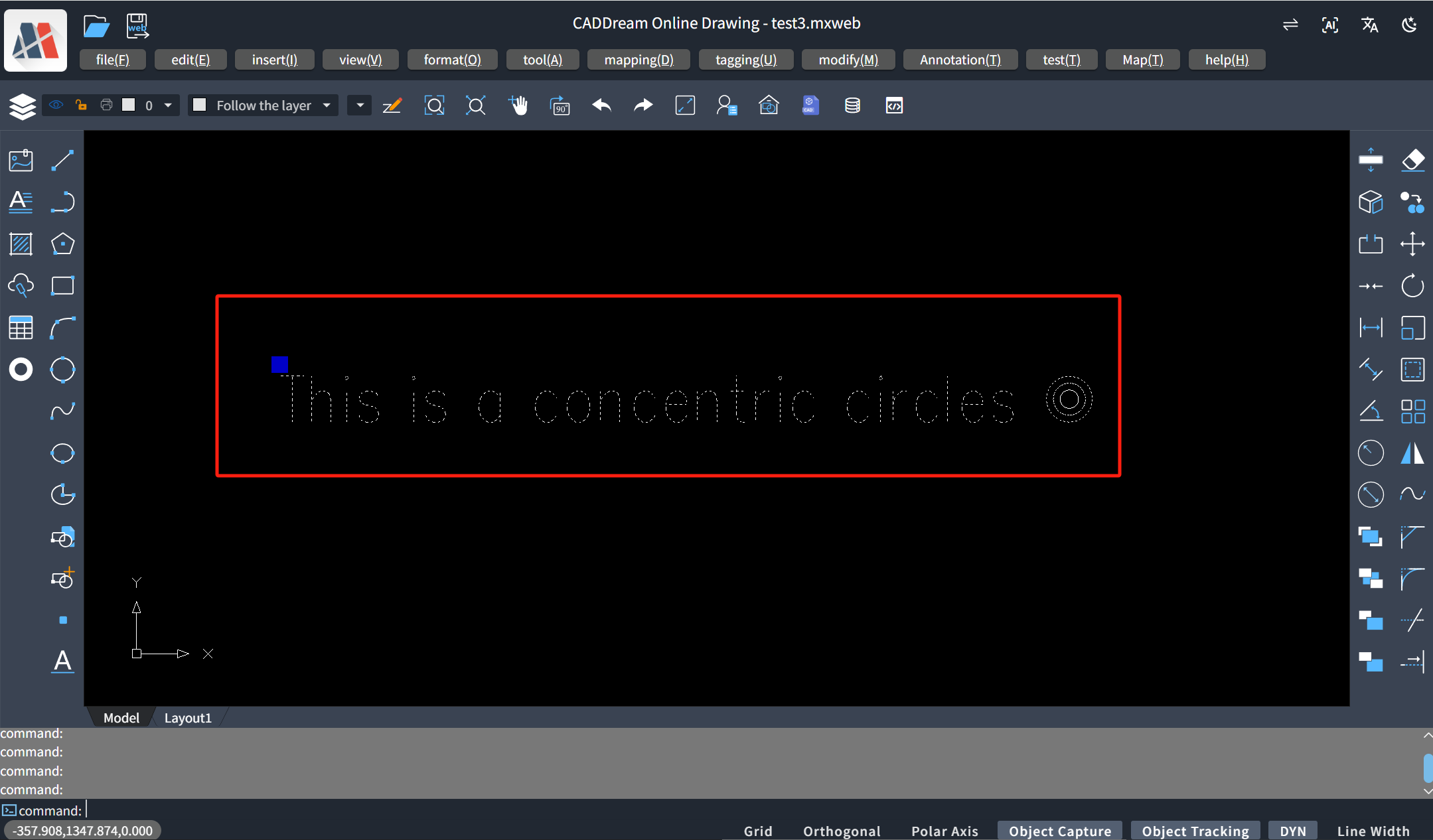
tsfunction rxInitCircle() { /** ...params Set initial parameters */ insertConcentricCircles(params) }ts// MxCAD creation successful, equivalent to the mxcad init_mxcad event. MxFun.on("mxcadApplicationCreatedMxCADObject", (param) => { rxInitCircle() }Running Effect Demonstration:
Extended Practice (Register Roughness Entity Text)
Construct Roughness Custom Entity Text Registration Class
ts// Draw the initial text entity const getEntity = (entity: MxCADMText, textNode: MarksStyleText) => { const roughness = new McDbTestRoughness(); roughness.setPos(new McGePoint3d(0, 0, 0)); roughness.rouDimHeight = (textNode?.fontSize ? textNode.fontSize : 1) * entity.textBaseHeight; const form = textNode.props; roughness.rougMarkType = form.selectSymbolNum; roughness.textLeftStr = form.textLeftStr; roughness.rougCornerType = form.rougCornerType === "None" ? "" : form.rougCornerType; roughness.isRoungSameRequire = form.isRoungSameRequire; roughness.isShowMostSymbols = form.isShowMostSymbols; const dataArr = form.textUpStr.filter((item) => item != ""); roughness.textUpStr = JSON.parse(JSON.stringify(dataArr)).reverse(); roughness.textDownStr = form.textDownStr.filter((item) => item != ""); roughness.isAddRougLongLine = form.isAddLongLine; return roughness } // Build text registration class class MxCADTestRoughnessText extends MxCADBaseCustomText { // type is the unique identifier for subsequent multi-line text insertion type = "MxCADTestRoughnessText" calculate(entity: MxCADMText, textNode: MarksStyleText): MxCADCustomTextCalculateData { const roughness = getEntity(entity, textNode); const box = roughness.getBoundingBox(); const width = box.maxPt.x - box.minPt.x const height = box.maxPt.y - box.minPt.y; return { width, height } } create(entity: MxCADMText, textNode: MarksStyleText, calculateData: MxCADCustomTextCalculateData, renderData: CreateData): (McDbEntity | McDbCustomEntity)[] { const roughness = getEntity(entity, textNode); const pos = roughness.getPos(); // Set the position of roughness in the text const { minPt, maxPt } = roughness.getBoundingBox(); const basePt = new McGePoint3d(minPt.x, maxPt.y); const v = pos.sub(basePt) const pt = renderData.position.clone().addvec(v) roughness.setPos(pt); if (entity.getMTextImp().entityType == 'mtext' && !entity.getMTextImp().isEditState) { return [roughness] } else { const entityArr = roughness.getAllEntity(); return [...entityArr] } } constructor() { super() } }Register Roughness Text
For the specific implementation of the roughness pop-up box, you can refer to the method of calling the internal pop-up box in the MxCAD project introduced in the article https://blog.csdn.net/u013725001/article/details/146095121?spm=1001.2014.3001.5502, or refer to the implementation source code in the
extoolsdirectory of the MxCAD project in the cloud map development kit.ts// Register roughness text function rxInitRoughnessText() { // Use the function in the plugin context const insertCustomText = MxPluginContext.registerEditorCustomTextPlugin( new MxCADTestRoughnessText(), { // Callback function when double-clicking text onDbClick: (node) => { showRoughnessDialog(true, node as MarksStyleText) }, uiData: { icon: 'icon-a-1', tip: 'Roughness', onClick: () => { // Insert custom formula showRoughnessDialog(false) } } } ) const showRoughnessDialog = (isUpdate: boolean = false, textNode?: MarksStyleText) => { if (isUpdate) { const roughness = new McDbTestRoughness(); const form = textNode.props; roughness.rougMarkType = form.selectSymbolNum; roughness.textLeftStr = form.textLeftStr; roughness.rougCornerType = form.rougCornerType === "None" ? "" : form.rougCornerType; roughness.isRoungSameRequire = form.isRoungSameRequire; roughness.isShowMostSymbols = form.isShowMostSymbols; roughnessHandle.value = roughness; const dataArr = form.textUpStr.filter((item) => item != ""); roughness.textUpStr = JSON.parse(JSON.stringify(dataArr)).reverse(); roughness.textDownStr = form.textDownStr.filter((item) => item != ""); roughness.isAddRougLongLine = form.isAddLongLine; } dialog.showDialog(true, { title: t("Surface Roughness") }).then(async ({ data, isCanceled }) => { // Triggered only when cancel or confirm is called if (!isCanceled) { insertCustomText(data.roughnessData, isUpdate) } }); } }Initialize Roughness Custom Text
ts// MxCAD creation successful, equivalent to the mxcad init_mxcad event. MxFun.on("mxcadApplicationCreatedMxCADObject", (param) => { rxInitRoughnessText() }Practice Effect Demonstration:
- Initial Insertion
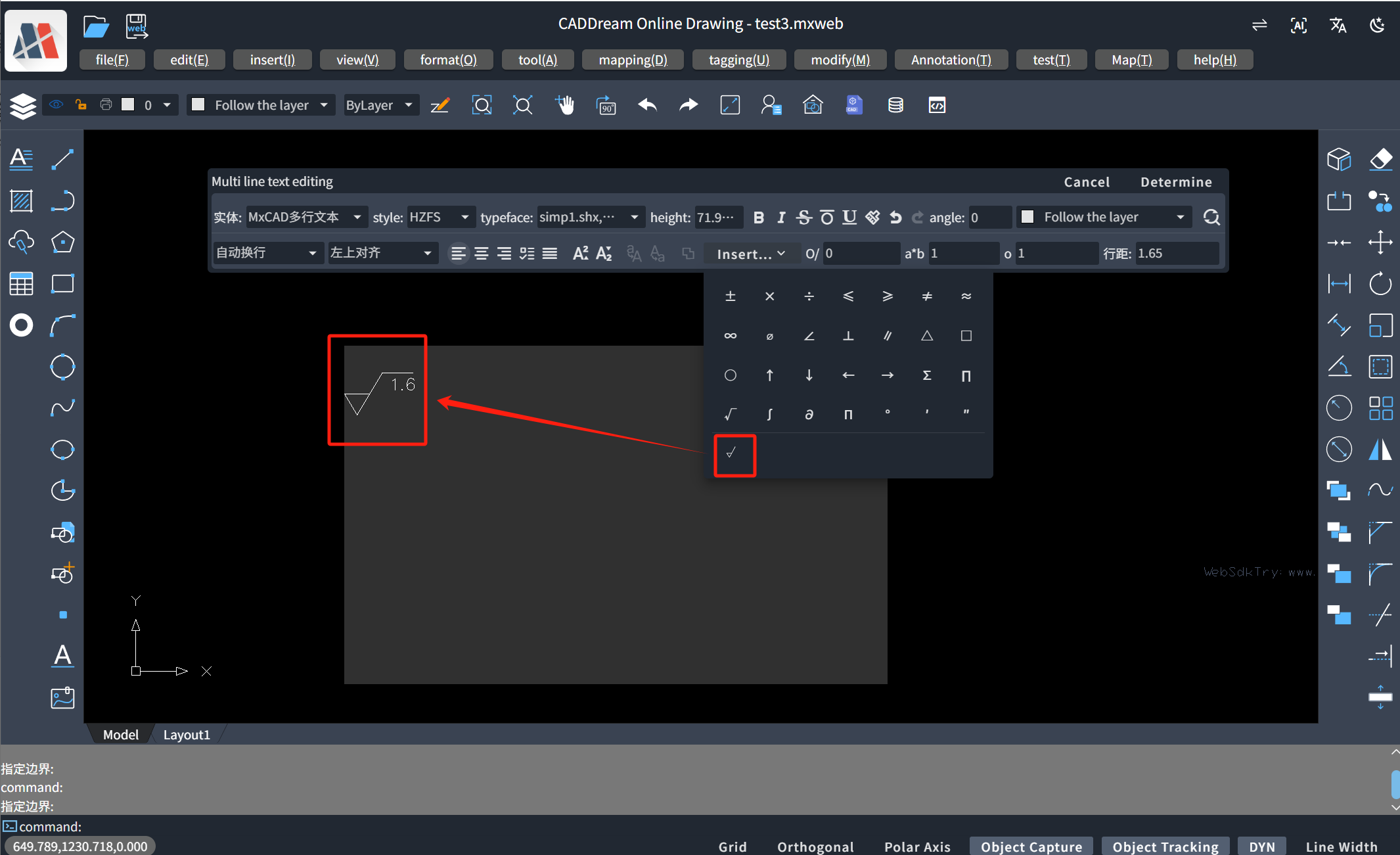
- Double-click Modification
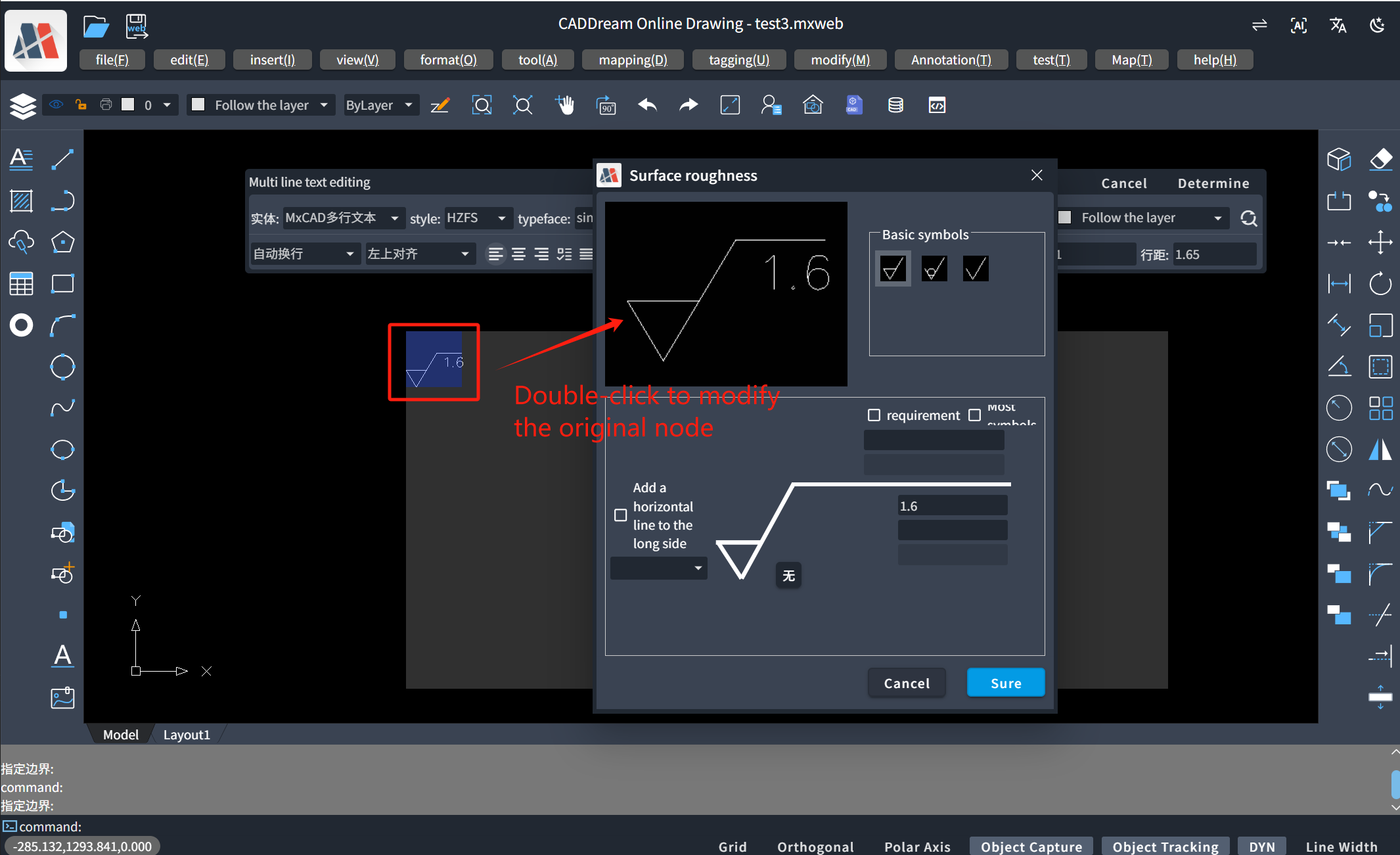
- Final Drawing in the Drawing in the Form of Multi-line Text After Modification